Settings - Layout
This sections shows how you can change the Layout of everything you see on the Homepage of the clearxx Agent & Build Workspace.
The recommendation is to keep everything as you see it and not change the layout.
Layout icons
At the top right of the Homepage, there are four icons for Layout.
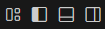
They are:
- Customize Layout
- When you click on this, a menu panel opens where you can make more detailed selections.
- The recommendation is that you keep every as it is.
- Toggle Primary Side Bar on or off
- This refers to the area where you see your files or Cline.
- Toggle Panel
- This opens a panel at the bottom of the screen where you can see, for example, a Terminal that shows the ongoing output of Cline's work the way a software developer may look at it.
- The recommendation is that you keep this off, unless you have a lot of technical know-how.
- Toggle Secondary Side Bar on or off
- You do not need this.