Chats
Once you have started chats, they will appear in the left sidebar menu and form your chat history.
From that menu you can manage your chat history.
View and manage Chat history
Your Chats appear in the left sidebar menu. By default they get assinged a title which you can change.
By clicking on Chats itself, you can show or hide the chat history.
When you click on the three dots to the left of a chat title you see the menu:
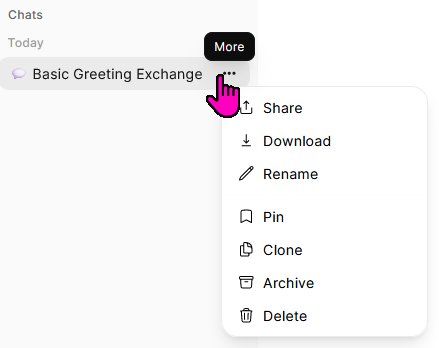
From the Search documentation, you will see that you can delete archived chats in Search.
If you don't need chats anymore you should delete them, and do that on a regualar basis, because they also count towards the total storage.
Add Chats to Folders or other Chats
As already outlined in New Chats, you can drag and drop or add chats from your chat history to Folders or other ongoing conversations.